Matt Way Media
Reflect Mindfulness Journal app icon
iPhoneHealth & Fitness

Reflect Mindfulness Journal

A private daily journal for moods, memories, and gentle reflection.

Reflect Mindfulness Journal gives you a calm place to record how you feel, write thoughts, attach photos, and capture voice notes. It is designed around small, steady moments of reflection rather than pressure or complicated tracking.

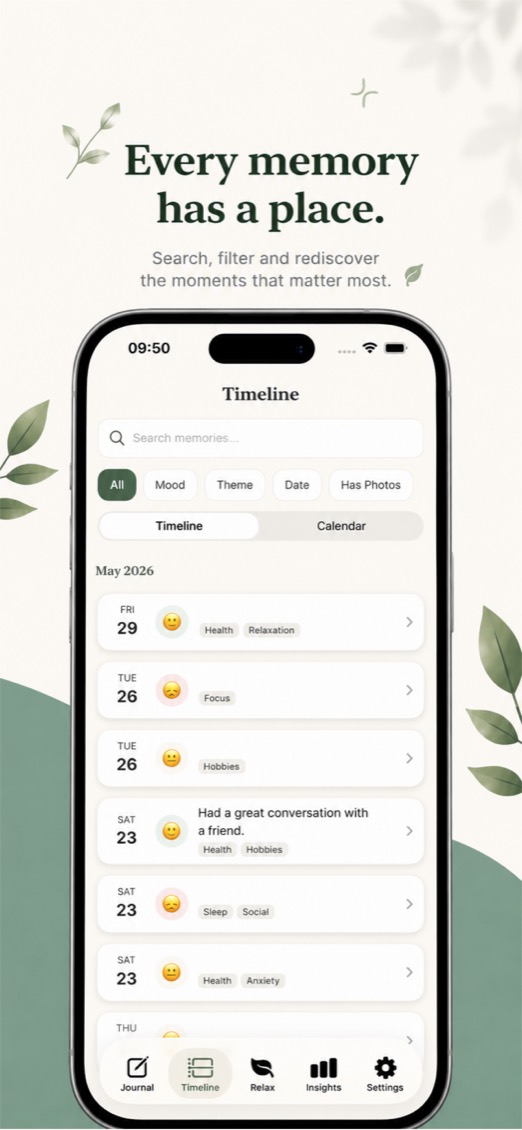
Timeline with search, filters, mood faces and tags for each entry
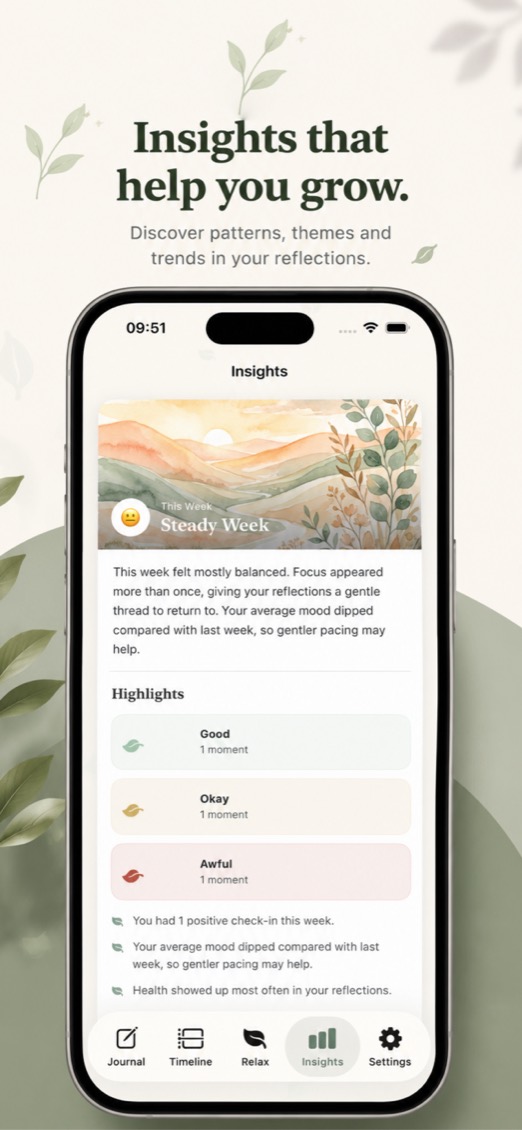
Reflect Insights screen with a weekly summary card and highlights grouped by mood
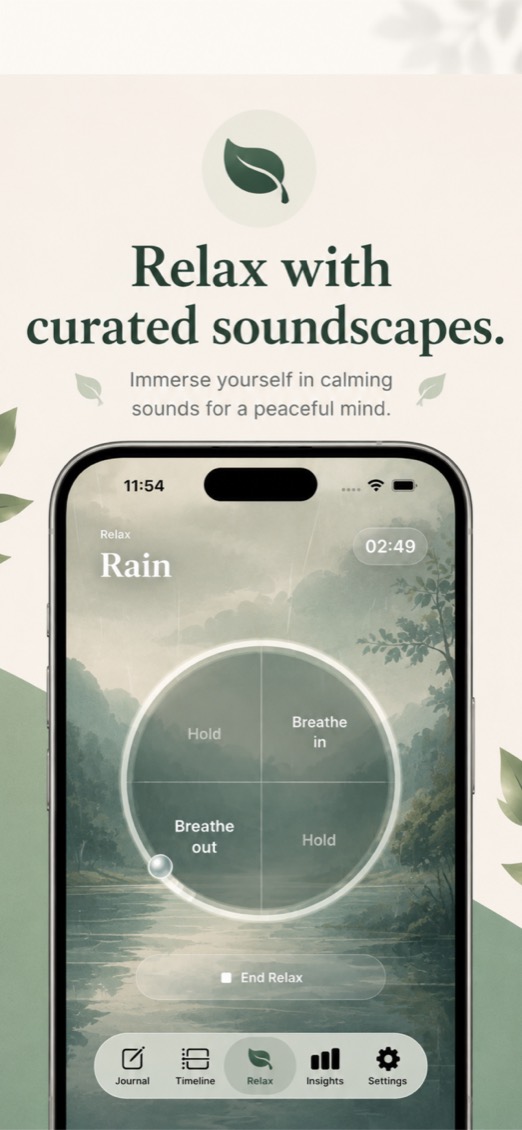
A Relax session with rain sounds, a timer and a breathing guide

Overview

A private daily journal for moods, memories, and gentle reflection.

Timeline, calendar, weekly insights, reminders, widgets, and reset sessions help make reflection easier to return to.

Released
4 June 2026
Category
Health & Fitness
Works on
iPhone
Account
None needed

A calm place to check in

Reflect gives you somewhere to record how you feel, write thoughts, attach photos and capture voice notes. It is designed around small, steady moments of reflection rather than pressure or complicated tracking.

  • Daily mood check-ins and reflection prompts
  • Journal entries with photos and voice notes
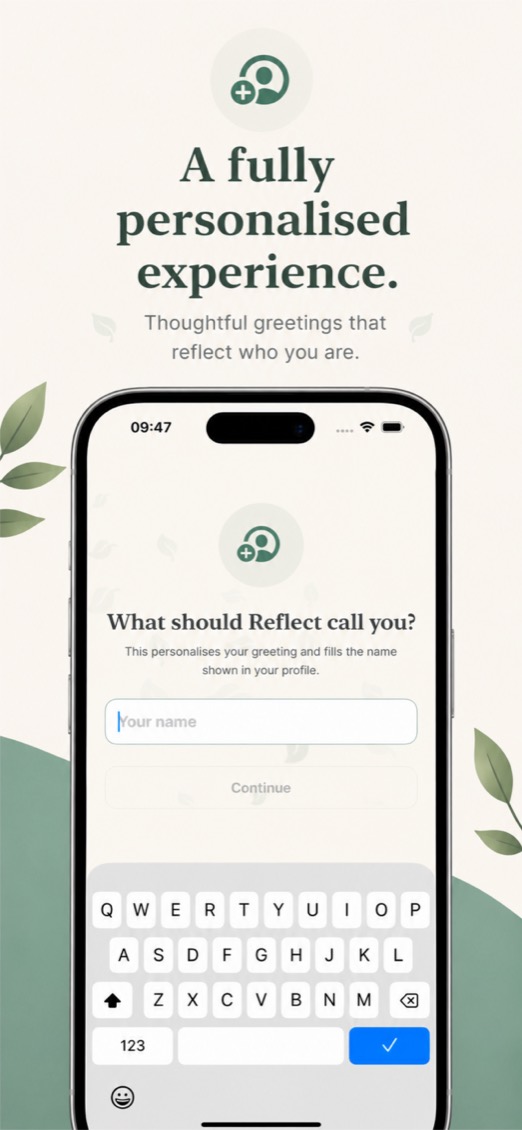
Reflect onboarding asking what the app should call you
A Relax session with rain sounds, a timer and a breathing guide

Every memory has a place

Timeline and calendar views make it easy to search, filter and look back over what you wrote.

  • Timeline and calendar views
  • Reminders, widgets, backup and export options
Timeline with search, filters, mood faces and tags for each entry

Insights that help you grow

Weekly insights and mood trends help you spot patterns, themes and trends in your reflections, and make reflection easier to return to.

  • Weekly insights and mood trends
  • Relax sessions with curated soundscapes
Reflect Insights screen with a weekly summary card and highlights grouped by mood

Screenshots

Reflect on iPhone

Reflect Insights screen with a weekly summary card and highlights grouped by mood
Insights that help you grow
Reflect onboarding asking what the app should call you
A fully personalised experience
A Relax session with rain sounds, a timer and a breathing guide
Relax with curated soundscapes
Timeline with search, filters, mood faces and tags for each entry
Every memory has a place

Features

What is in it

  • Daily mood check-ins and reflection prompts.
  • Journal entries with photos and voice notes.
  • Timeline and calendar views.
  • Weekly insights and mood trends.
  • Reminders, widgets, backup, and export options.

Guide

How to start a daily reflection habit

A journal you keep is worth more than one you meant to. Reflect is built around small, steady moments rather than long entries.

  1. Start with a check-in

    Record how you feel today. It takes a moment.

  2. Add a line, a photo or a voice note

    Write a few thoughts, attach a photo, or capture a voice note when typing is too much.

  3. Let a reminder do the remembering

    Turn on reminders and widgets so the next check-in is easy to find.

  4. Look back each week

    Use the timeline, calendar and weekly insights to see patterns over time.

Reflect is not a medical service. Only add information you are comfortable storing in the app.

Questions

Good to know

What can I record in Reflect?

Mood entries, written reflections, photos and voice notes, shown in a timeline and calendar.

Does Reflect have reminders and widgets?

Yes. Timeline, calendar, weekly insights, reminders, widgets and reset sessions are all included.

What happens to my voice notes?

For voice notes, Apple's speech recognition turns what you say into text. Depending on your device and language, the audio may be sent to Apple to do this, under Apple's own privacy policy.

Can I back up or export my entries?

Yes. The app has backup and export options. If you use them, that action is under your control and may involve locations or services outside the app.

Do I need an account?

No. The app does not require a Matt Way Media account.

Privacy

Privacy policy

A plain-English summary of what Reflect does with your information.

Journal content

Mood entries, written reflections, photos, voice notes, and calendar/timeline content are used to provide the journal experience.

Sensitive entries

Because journal text is free-form, you may choose to enter personal or sensitive information. Only add information you are comfortable storing in the app.

Photos, camera and voice

Camera, photo library and microphone access are used only when you choose to add a photo or voice note to an entry. For voice notes, Apple's speech recognition turns what you say into text. Depending on your device and language, the audio may be sent to Apple to do this, under Apple's own privacy policy.

Reminders and widgets

Notification and widget data are used to show reminders and quick access features you enable.

Backups and exports

If you choose to back up or export your content, that action is under your control and may involve locations or services outside the app.

Advertising and analytics

The app may use advertising, analytics, crash, and performance tools to support the app and improve reliability.

Purchases

If the app offers purchases or subscriptions, Apple handles payment processing. Matt Way Media does not receive your payment card details.

Accounts

The app does not require a Matt Way Media account.

Last updated 1 October 2026

Support

Need a hand with Reflect?

Send me a message here and I'll reply by email.

Contact support →

More from Matt Way Media

Race Pace - Run CalculatorTiny-TasksDash HoundGhost ContractCanine Care: Dog Health DiarySaturday 5K Predictor for Garmin
All apps →