
Saturday 5K Predictor
A 5K companion for your Garmin watch.
Record your run, follow two live finish estimates and enter your finish token. Add Premium to show your barcode on your wrist.
Overview
From the start line to the finish, on your wrist.
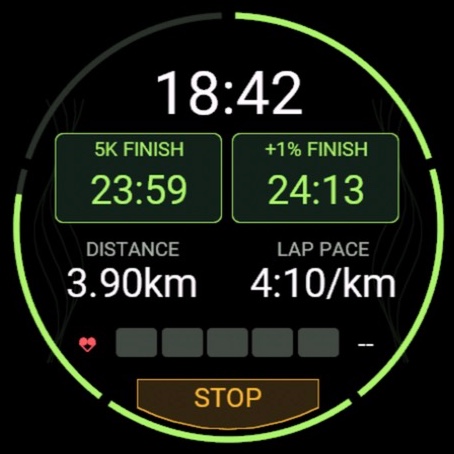
Two finish estimates
Your projected time for exactly 5.00 km, plus a second for a slightly longer course (+1% by default, adjustable from 0 to 5%) because GPS often reads a little long. Amber while it gathers data, green when it is ready.
A running screen you can read
Elapsed time, distance, lap or current pace and heart rate with five zone colours, inside a ring that fills towards 5 km. The Back button is ignored while you record, so a brush of the wrist will not end your run.
Finish token entry
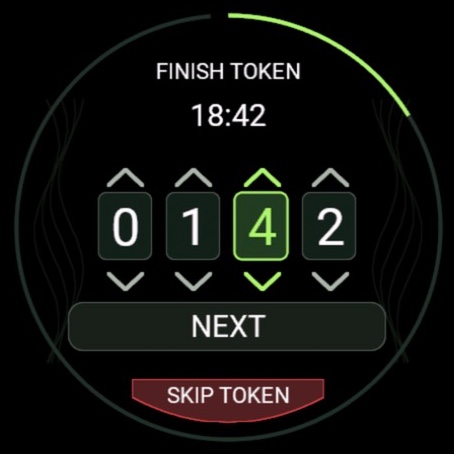
Enter the token you are handed with big digit controls, using the watch buttons or touch. It is saved with your run. Skip it if you do not have one.
On the watch
The screens, in order
Free and Premium
Free to run. Premium for the barcode.
Free
- Timed GPS 5K, saved as a Garmin activity
- Two live finish estimates
- Goal, lap pace and heart-rate zones
- Finish token entry
- Run history on the watch
- Save your run, with or without a barcode
Premium · optional unlock
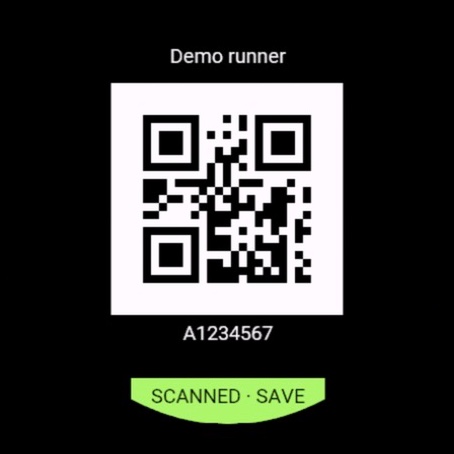
- Your A-number as a 1D barcode or QR code
- Up to two family barcodes
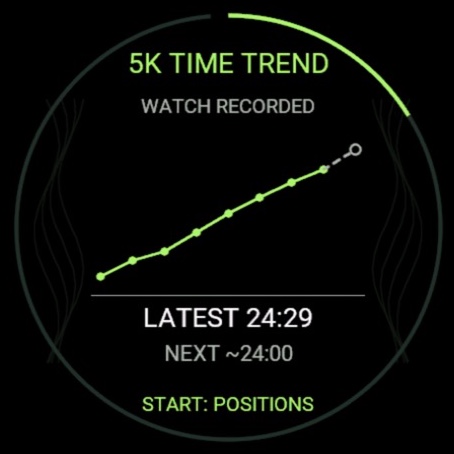
- Time and position trend charts, with a next-run projection
- Works offline once it is unlocked on your watch
Unlocking Premium
Scan on the watch
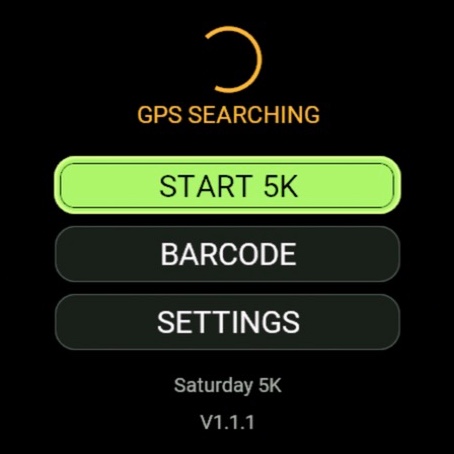
Open Barcode. While Premium is locked, the watch shows a QR code that opens the unlock page on your phone.
Buy securely
Payment is taken on Stripe's own checkout page, so your card details never reach the app. Your unlock code is sent to you by email.
Enter your code
In the Connect IQ app on your phone, open Saturday 5K Predictor's settings and enter the Premium unlock code. Open the watch app with your phone connected and Premium switches on.
Compatibility
Built for these Garmin models
Needs Connect IQ 5.1 or newer. Check the exact list on the Connect IQ Store listing before you install.
- fēnix 843, 47, 51 mm and Solar 47, 51 mm
- fēnix 7 and 7Xnot the 7S
- Forerunner 965AMOLED
- Forerunner 955including Solar
- Forerunner 265AMOLED
- Forerunner 255not the 255S
Good to know
- It is independent. Made by Matt Way Media. Not affiliated with, endorsed by or sponsored by parkrun or Garmin.
- It does not fetch results. Your time and finish position are not looked up from any official source.
- Premium needs your phone once. After activation it works offline on that watch.
- Check your barcode. If you use Premium's barcode, always compare the A-number on the watch with your official barcode.
- Estimates are projections. They assume you hold your average pace.
Privacy
Privacy policy
No account, no adverts and no analytics. Location is used while the app is open to find the nearest event, and recording starts only when you press Start. Your A-number, names and counts stay in the app settings on your watch. If you unlock Premium, Stripe takes the payment and your unlock code is emailed to you; the app then sends that code, with a random installation ID, to our activation service. Garmin handles the activity after it syncs, under your Garmin account.
Support
Need a hand with Saturday 5K Predictor?
Send me a message and I'll reply by email.