Matt Way Media
Card Score Scanner app icon
iPhone and iPadUtilities

Card Score Scanner

Scan cards and track scores for Skyjo® and similar grid-based games.

Card Score Scanner is an independent score-tracking companion for players of Skyjo® and similar grid-based card games. Point your camera at the cards, let the app detect and total their values, then review the result before saving the score.

Optional remove-ads purchase for an ad-free experience.

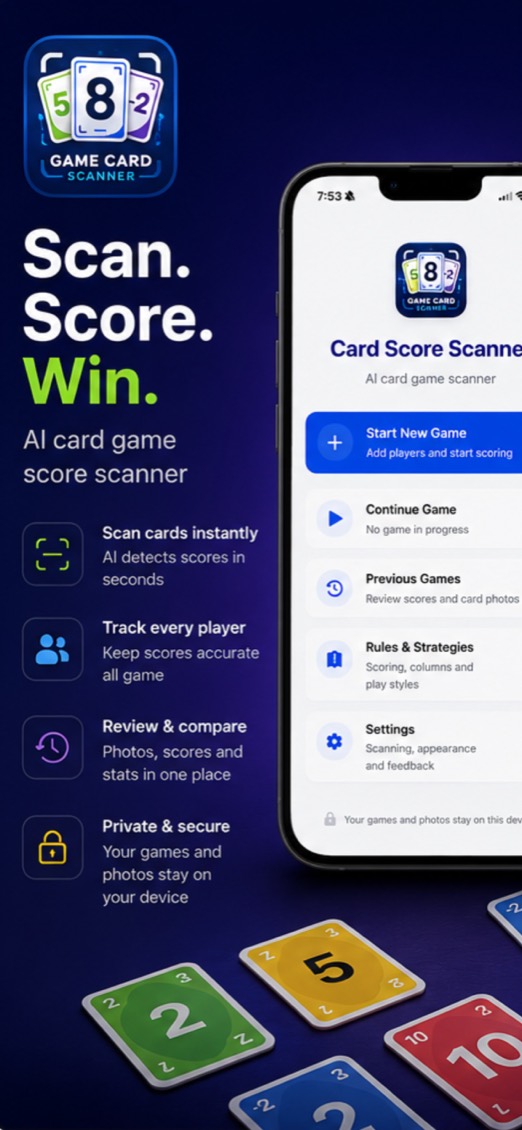
Card Score Scanner home screen with Start New Game, Continue Game and Previous Games, beside a list of features
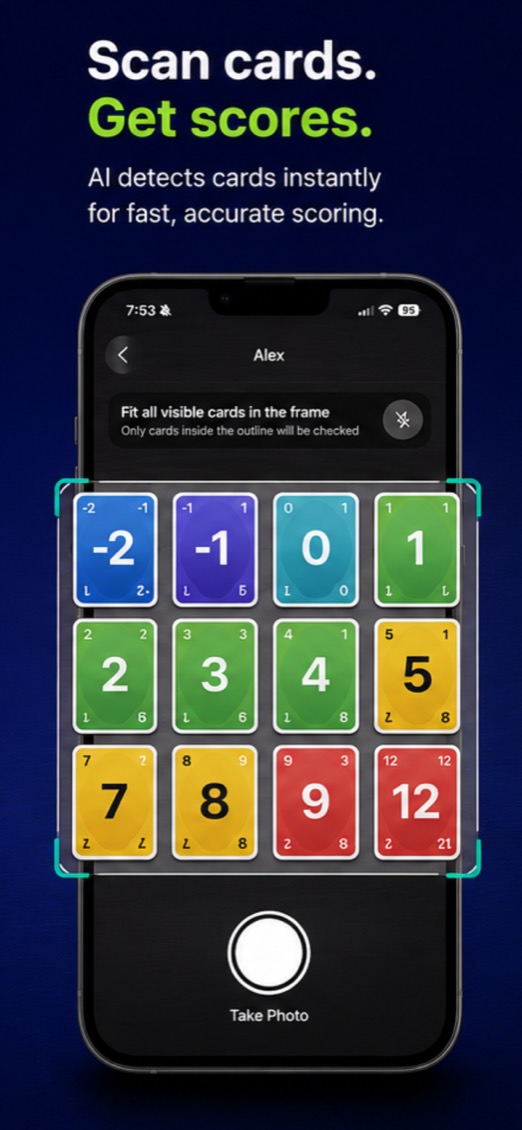
Camera screen with a frame around a grid of twelve numbered cards and a Take Photo button
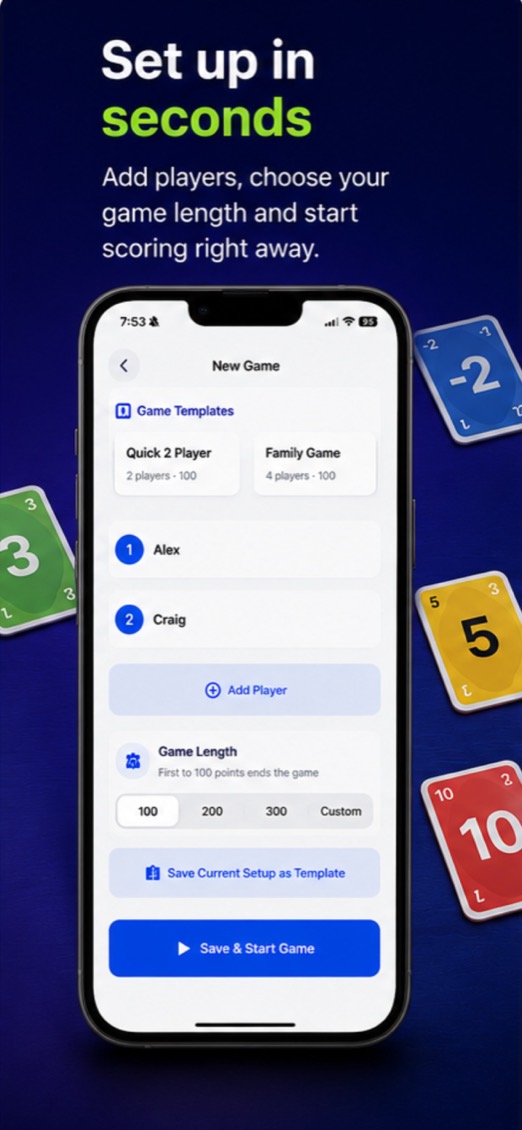
New Game screen with two players, a game length of 100 and a Save and Start Game button

Overview

Scan cards and track scores for Skyjo® and similar grid-based games.

Detected values can be corrected by tapping individual cards, and manual score entry is available whenever you prefer it. Add multiple players, track each round and review previous games, so everyone can spend less time doing the maths and more time playing.

Card Score Scanner is an unofficial companion app and is not affiliated with, endorsed by, sponsored by, or associated with the creators or publishers of Skyjo®. Skyjo® is a trademark of its respective owner.

Released
9 July 2026
Category
Games / Utilities
Works on
iPhone and iPad
Price
Free, with remove ads
Account
None needed

Scan the cards, get the score

Point your camera at the cards, let the app detect and total their values, then review the result before saving the score.

  • Fast camera-based scanning for supported card grids
  • Automatic score calculation with tap-to-edit card values
Camera screen with a frame around a grid of twelve numbered cards and a Take Photo button

Set up in seconds

Add multiple players, choose the game length and start scoring. Track each round and review previous games, so everyone can spend less time doing the maths and more time playing.

  • Track multiple players, rounds, totals and completed games
  • Manual score entry when you want direct control
New Game screen with two players, a game length of 100 and a Save and Start Game button

Private by design

Scans and game history stay on your device. Detected values can be corrected by tapping individual cards.

  • On-device scans and local game history
  • Optional remove-ads purchase
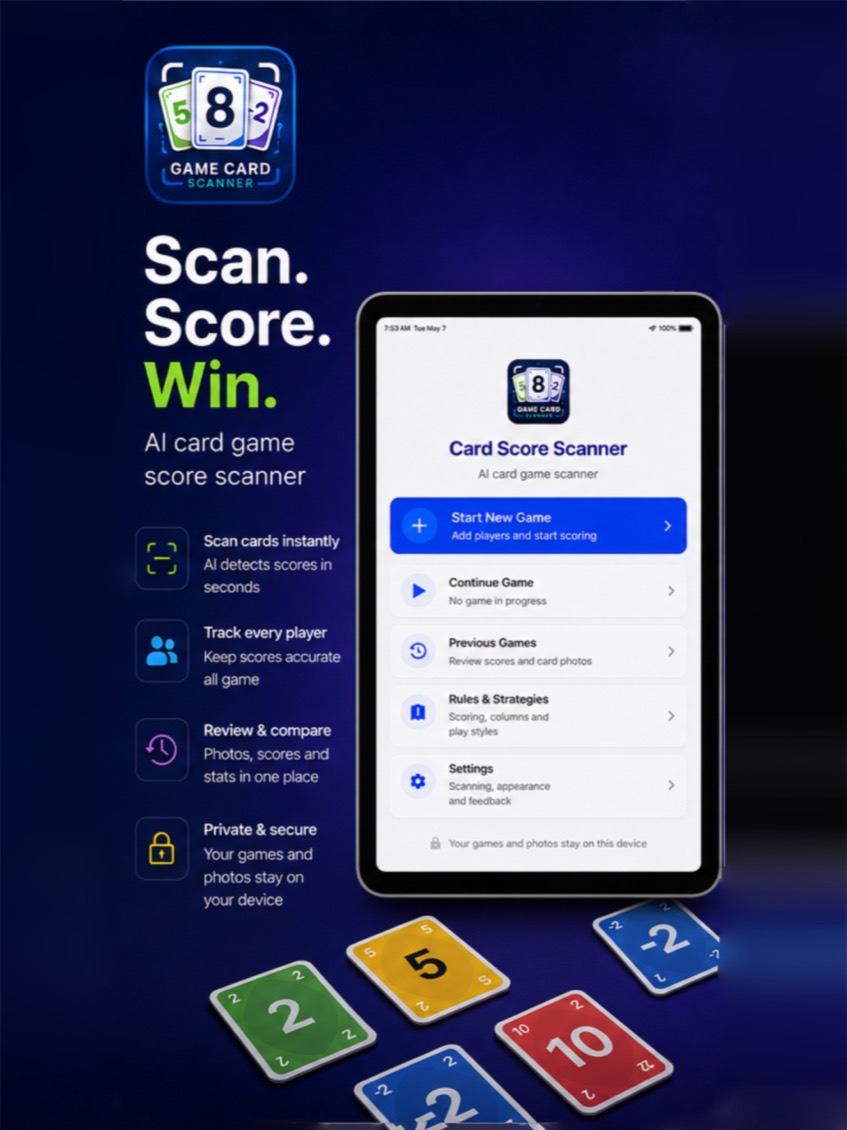
Card Score Scanner home screen with Start New Game, Continue Game and Previous Games, beside a list of features

Screenshots

Card Score Scanner on iPhone and iPad

Card Score Scanner home screen with Start New Game, Continue Game and Previous Games, beside a list of features
Scan. Score. Win.
New Game screen with two players, a game length of 100 and a Save and Start Game button
Set up in seconds
Camera screen with a frame around a grid of twelve numbered cards and a Take Photo button
Scan cards. Get scores.
Card Score Scanner home screen on an iPad
On iPad

Features

What is in it

  • Fast camera-based scanning for supported card grids.
  • Automatic score calculation with tap-to-edit card values.
  • Manual score entry when you want direct control.
  • Track multiple players, rounds, totals, and completed games.
  • On-device scans and local game history.
  • Optional remove-ads purchase for an ad-free experience.

Guide

How to keep score in Skyjo without doing the maths

Skyjo is quick to play and slow to add up. Card Score Scanner is an independent companion that does the totals for you.

  1. Add the players

    Add everyone, choose a game length and start a game.

  2. Scan each grid

    Fit all the visible cards inside the frame and take a photo. Only cards inside the outline are checked.

  3. Check the result

    Tap any card to correct a detected value, or enter the score yourself.

  4. Save and carry on

    Save the round, and the totals and previous games are kept for next time.

Card Score Scanner is an unofficial companion app and is not affiliated with, endorsed by, sponsored by, or associated with the creators or publishers of Skyjo. Skyjo is a trademark of its respective owner.


Pricing

Free to start.

Free

£0

  • May show ads
  • Scanning, manual entry and game history

Remove ads

Optional purchase

  • An ad-free experience

Questions

Good to know

Is this the official Skyjo app?

No. Card Score Scanner is an unofficial companion app and is not affiliated with, endorsed by, sponsored by, or associated with the creators or publishers of Skyjo.

Which games does it work with?

Skyjo and similar grid-based card games.

What if it reads a card wrongly?

Tap the individual card to correct its value, or use manual score entry.

Are my scans kept private?

Scans and game history stay on your device.

Does it show ads?

The app may show ads. An optional remove-ads purchase gives an ad-free experience.

Privacy

Privacy policy

A plain-English summary of what Card Score Scanner does with your information.

Game data

Player names, scores, rounds, and previous games are stored locally on the device for app functionality.

Camera access

Camera access is used only when you choose to scan supported card layouts. Camera input is used for scanning and is not used to identify you.

Photos and scans

Any saved game images or scan-related records are used for the score-tracking experience and are not sold by Matt Way Media.

Advertising

The app may show ads using Google AdMob and related consent tools. Advertising partners may process device, usage, diagnostic, and advertising-related data according to their own policies.

Purchases

If you buy remove ads, the transaction is handled by Apple. Matt Way Media does not receive your payment card details.

Accounts

The app does not require a Matt Way Media account.

Last updated 1 October 2026

Support

Need a hand with Card Score Scanner?

Send me a message here and I'll reply by email.

Contact support →

More from Matt Way Media

Reflect Mindfulness JournalRace Pace - Run CalculatorTiny-TasksDash HoundGhost ContractSaturday 5K Predictor for Garmin
All apps →