Matt Way Media
Photo Jigsaw: Puzzle Maker app icon
iPhone and iPadPuzzle

Photo Jigsaw: Puzzle Maker

Your memories, piece by piece.

Photo Jigsaw: Puzzle Maker turns your favourite pictures into personalised jigsaw puzzles. Choose a photo, create a puzzle, and start putting the pieces together at your own pace.

Free version with ads. Premium is a one-time unlock.

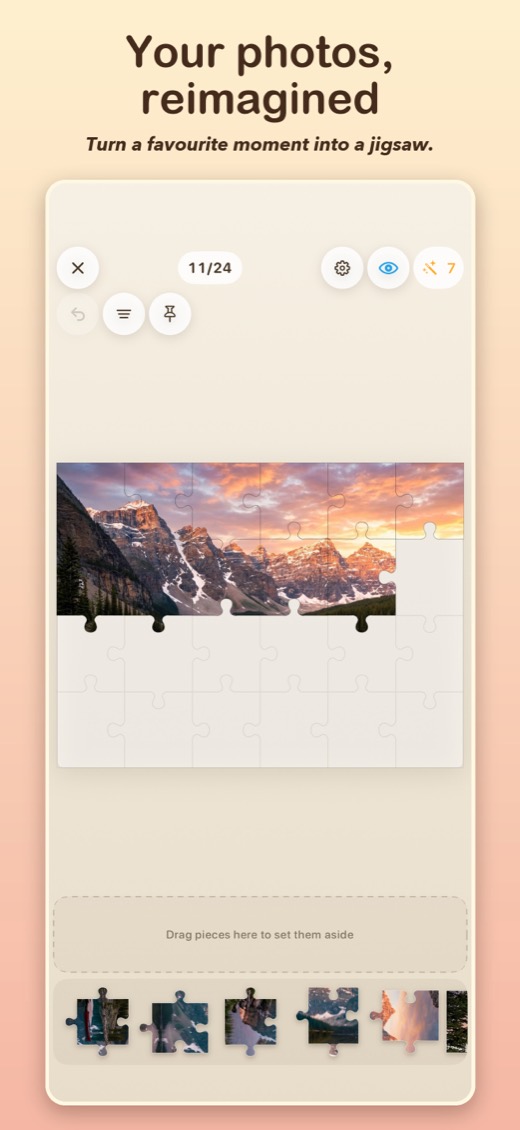
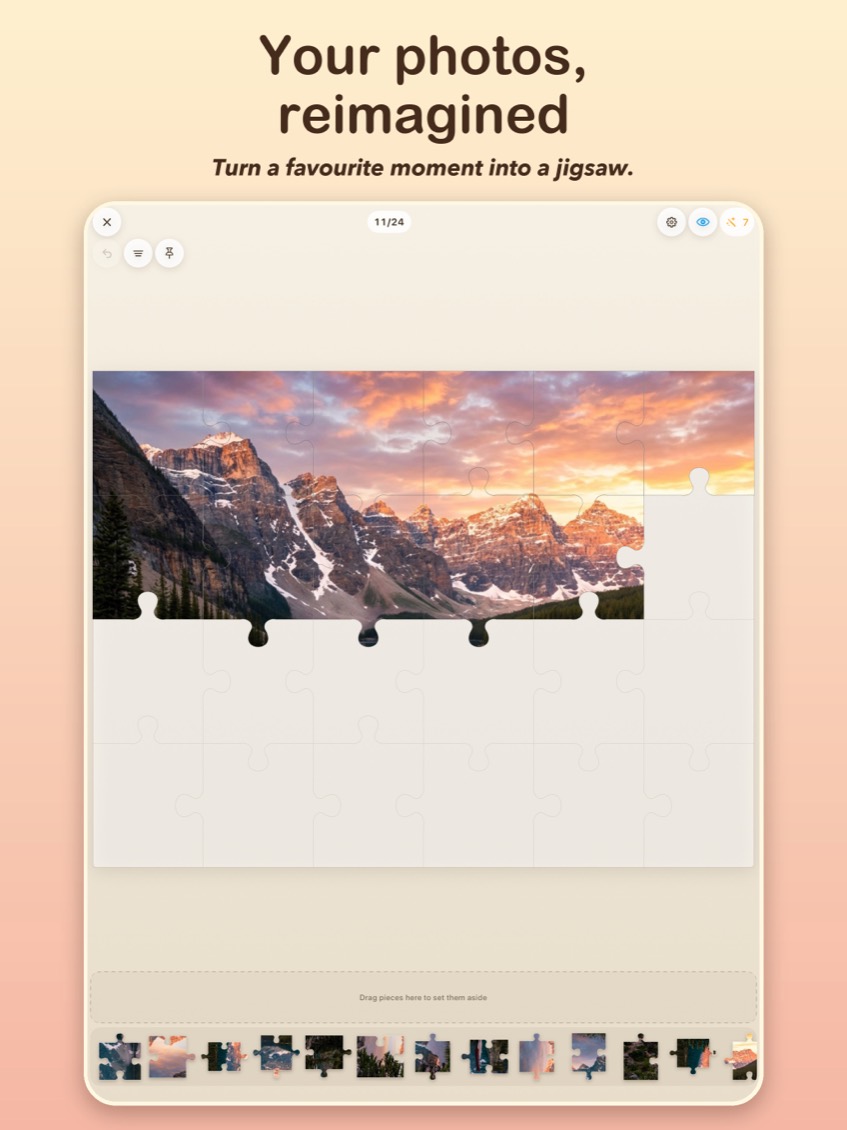
A jigsaw board part-way through a mountain sunset photo with loose pieces in a tray
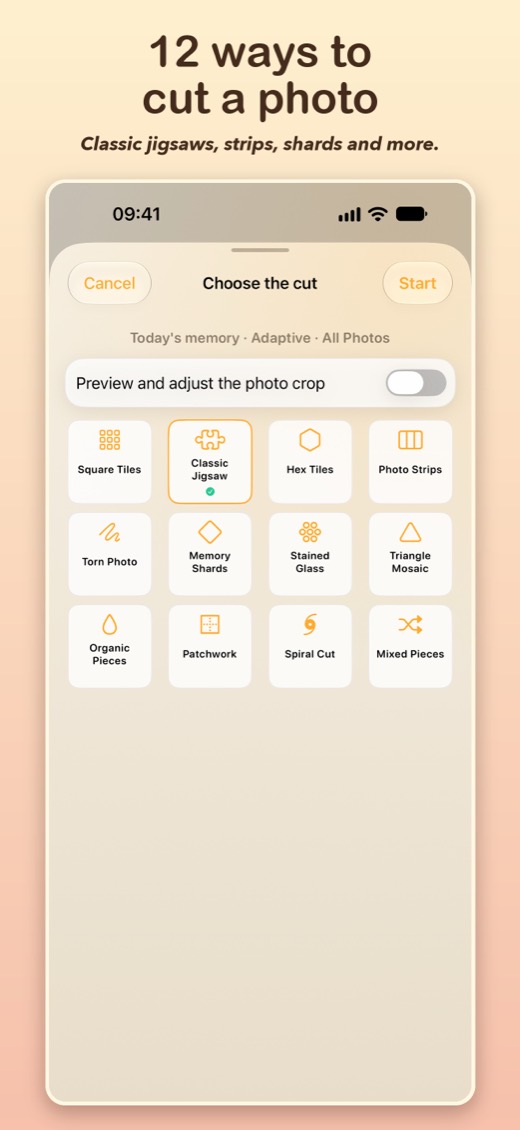
Choose the cut sheet with twelve cut styles including Classic Jigsaw, Hex Tiles, Photo Strips and Spiral Cut
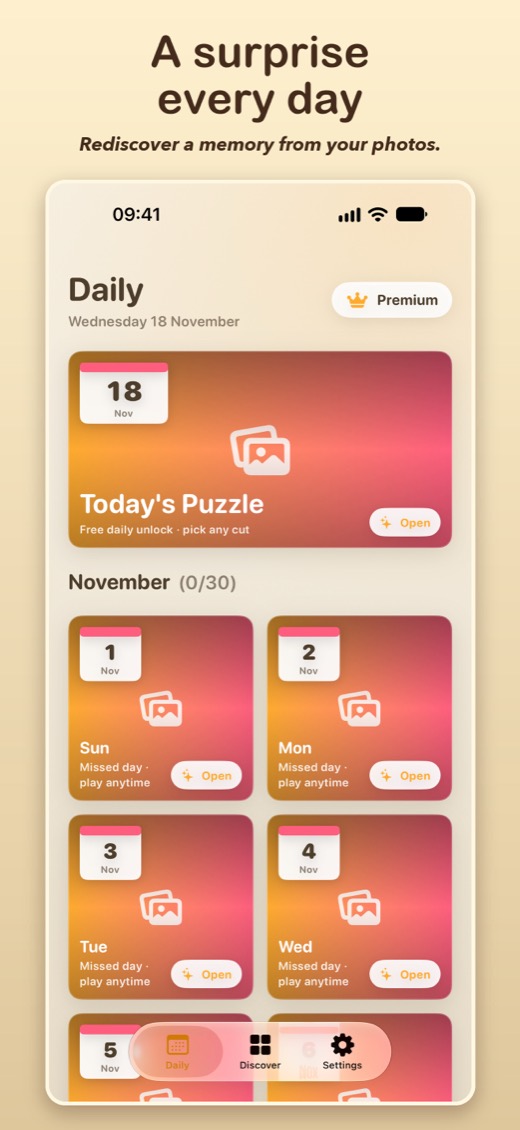
Daily tab with Today's Puzzle and a calendar of daily puzzles for the month

Overview

Your memories, piece by piece.

It is a simple, relaxing way to rediscover favourite memories, make a puzzle from any picture, enjoy a creative brain break, or share puzzle time with friends and family.

Photo selection and puzzle-making happen on your device. Premium is a one-time unlock that removes ads and opens the full experience.

Released
23 July 2026
Category
Games / Puzzle
Works on
iPhone and iPad
Price
Free, with Premium
Account
None needed

Turn a favourite moment into a jigsaw

Choose a photo, create a puzzle and start putting the pieces together at your own pace. Photo selection and puzzle-making happen on your device.

  • Create personalised jigsaw puzzles from your own photos
  • Smooth drag, snap, rotate, zoom and pan puzzle board
A jigsaw board part-way through a mountain sunset photo with loose pieces in a tray
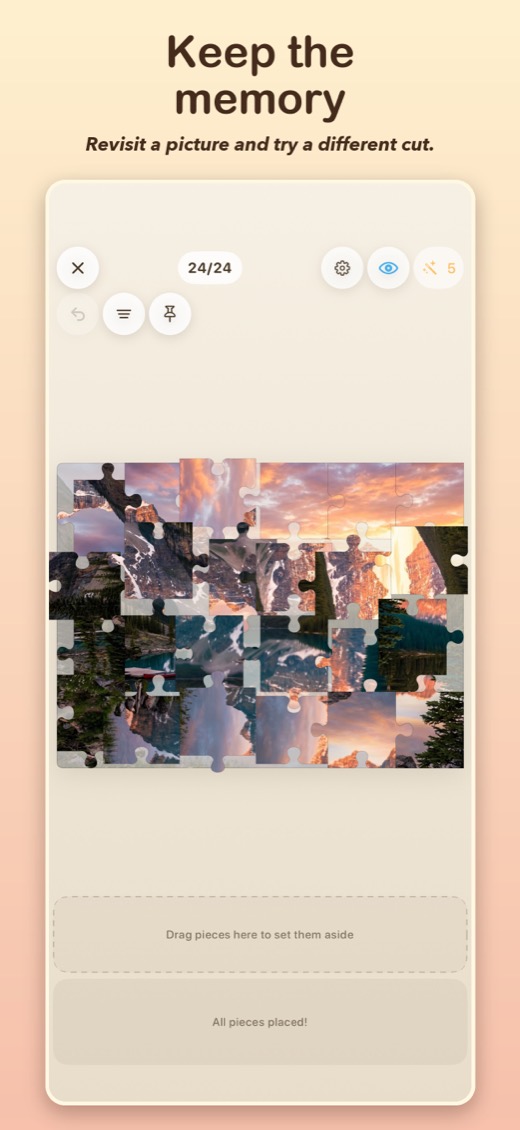
A completed jigsaw with all 24 pieces placed

Twelve ways to cut a photo

Classic jigsaws, strips, shards and more. Pick the cut that suits the picture, and revisit a completed puzzle with a different one.

  • Twelve cut styles
  • Save progress and revisit completed puzzles
Choose the cut sheet with twelve cut styles including Classic Jigsaw, Hex Tiles, Photo Strips and Spiral Cut

Play at your pace

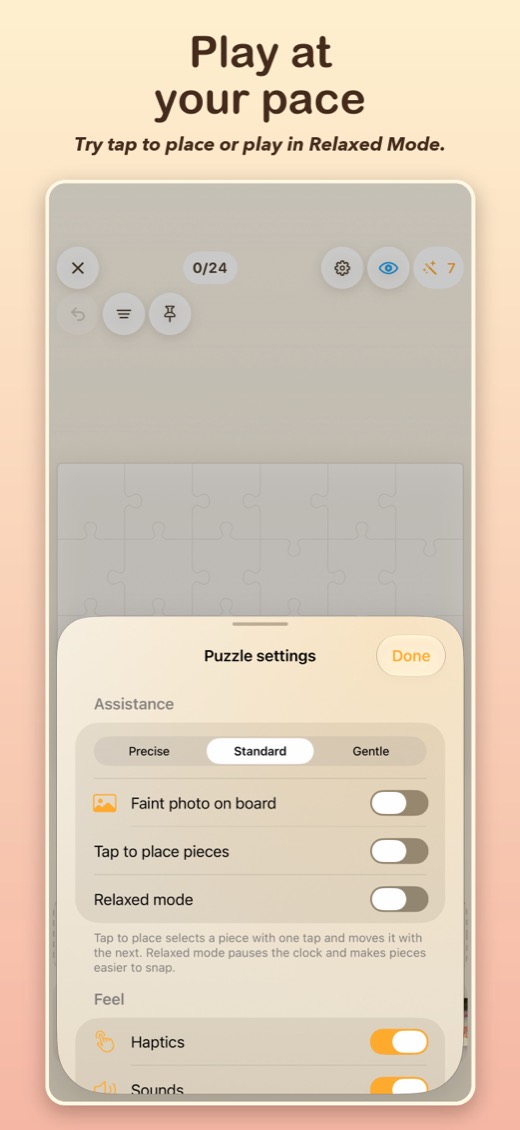
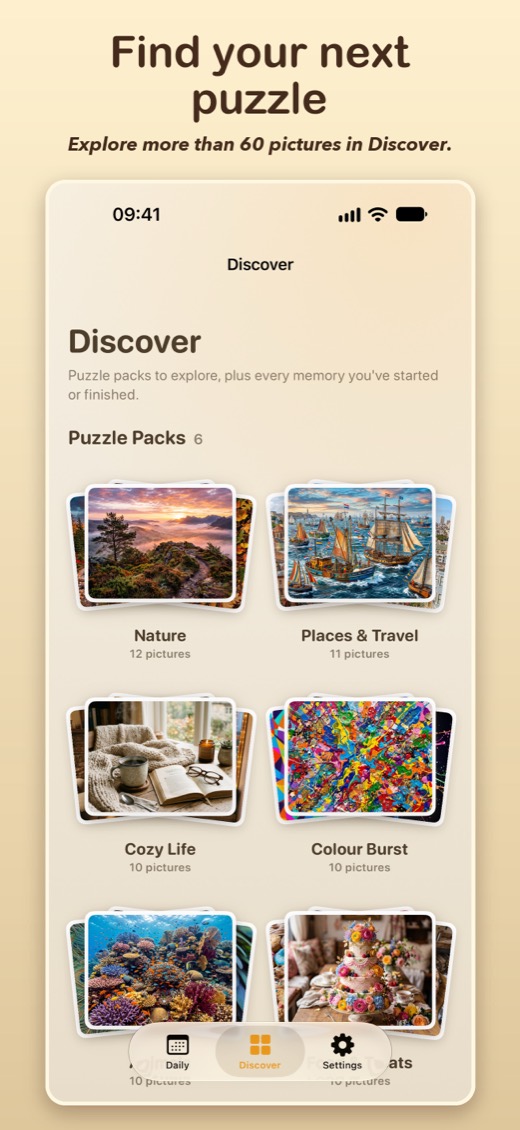
Try tap to place or play in Relaxed Mode, with no pressure to rush. Explore more than 60 pictures in Discover, or take on the daily puzzle.

  • Relaxing play with assistance you can change
  • Private iCloud sync to continue puzzles across your devices
Puzzle settings with assistance, tap to place, relaxed mode and haptics
Discover tab showing puzzle packs such as Nature, Places and Travel, and Cozy Life

Screenshots

Photo Jigsaw on iPhone and iPad

A jigsaw board part-way through a mountain sunset photo with loose pieces in a tray
Your photos, reimagined
Discover tab showing puzzle packs such as Nature, Places and Travel, and Cozy Life
Find your next puzzle
Choose the cut sheet with twelve cut styles including Classic Jigsaw, Hex Tiles, Photo Strips and Spiral Cut
12 ways to cut a photo
Puzzle settings with assistance, tap to place, relaxed mode and haptics
Play at your pace
Daily tab with Today's Puzzle and a calendar of daily puzzles for the month
A surprise every day
A completed jigsaw with all 24 pieces placed
Keep the memory
Photo Jigsaw board on an iPad with a tray of loose pieces
On iPad

Features

What is in it

  • Create personalised jigsaw puzzles from your own photos.
  • Choose a picture and start playing in a few simple steps.
  • Smooth drag, snap, rotate, zoom, and pan puzzle board.
  • Relaxing play with no pressure to rush.
  • Save progress and revisit completed puzzles.
  • Private iCloud sync to continue puzzles across your devices.
  • One-time Premium unlock to remove ads and open the full experience.

Guide

How to make a jigsaw puzzle from your own photo on iPhone

A favourite photo makes a better puzzle than a stock picture. Here is how it works in Photo Jigsaw.

  1. Pick a picture

    Choose a photo you have allowed the app to see, or explore the pictures in Discover.

  2. Choose the cut

    Pick from twelve cut styles, from classic jigsaw to strips, shards and more.

  3. Set how you want to play

    Choose how much help you want, switch on tap to place, or play in Relaxed Mode.

  4. Build it

    Drag, snap, rotate, zoom and pan the pieces at your own pace. Your progress is saved.

  5. Keep it

    Revisit a finished puzzle and try a different cut.

Photo selection and puzzle-making happen on your device. iCloud sync is on by default and keeps puzzles in your own private Apple CloudKit database; you can turn it off in Settings.

Pricing

Free to start.

Free

£0

  • Banner ads and optional rewarded ads
  • Create puzzles from your photos

Premium

One-time unlock

  • Removes ads
  • Opens the full experience

Questions

Good to know

Are my photos uploaded?

Photo selection and puzzle-making happen on your device. If iCloud sync is on, puzzles are stored in your private Apple CloudKit database, which only your Apple ID can access. You can turn sync off in Settings.

Is Photo Jigsaw free?

The free version uses ads. Premium is a one-time unlock that removes ads and opens the full experience.

How many ways can a photo be cut?

Twelve, from classic jigsaws to strips, shards and more.

How do the controls work?

Drag, snap, rotate, zoom and pan. You can also try tap to place, or play in Relaxed Mode.

Do I need an account?

No. The app does not require a Matt Way Media account, and iCloud sync uses your own Apple ID.

Privacy

Privacy policy

A plain-English summary of what Photo Jigsaw does with your information.

Your photos

Photo Jigsaw: Puzzle Maker reads only the photos you allow through Apple's Photos permission. Photo selection and image analysis happen on your device. A copy of each puzzle photo and a thumbnail are saved in the app's private storage so unfinished puzzles and replays keep working.

Puzzle and game data

Puzzle progress, piece positions, statistics, settings, and completed puzzles are stored to provide the game and let you revisit puzzles.

iCloud sync

iCloud sync is on by default so puzzles continue across your Apple devices. Puzzle progress, settings, puzzle photos, and thumbnails are stored in your private Apple CloudKit database, which only your Apple ID can access. You can turn sync off in Settings to keep everything on the device. Photo Jigsaw: Puzzle Maker does not run a custom account server or have access to another person's private database.

Built-in puzzle pack images

The app bundles a set of curated puzzle-pack pictures. Some are photographs sourced from Unsplash and used under the Unsplash License. Others are illustrations created with Google's Gemini AI image tools. These bundled images are provided by Matt Way Media for gameplay and are not your personal photos.

Advertising and tracking

The free version uses Google AdMob for banner ads and user-chosen rewarded ads. As disclosed on the App Store, identifiers and diagnostic data may be used to track you across apps and websites owned by other companies. Device identifiers and advertising data may be collected, linked to you, and used for third-party advertising. Google may also process this data for consent, fraud prevention, frequency capping, and reporting under its own policies. Where required, Google's consent form is shown before ads are requested. Premium removes ads.

Diagnostics and analytics

Crash data may be collected, linked to you, and used for analytics. Performance data may also be collected for app functionality but is not linked to your identity. These disclosures match the data categories shown on the live App Store privacy label.

Notifications

If you allow notifications, reminder timing is calculated and stored on your device. You can turn notifications off at any time in iOS Settings.

Purchases

Premium is a one-time purchase handled by Apple. Matt Way Media does not receive your payment card details.

Accounts

The app does not require a Matt Way Media account. iCloud sync uses your own Apple ID.

Last updated 1 October 2026

Support

Need a hand with Photo Jigsaw?

Send me a message here and I'll reply by email.

Contact support →

More from Matt Way Media

Card Score ScannerReflect Mindfulness JournalRace Pace - Run CalculatorTiny-TasksDash HoundSaturday 5K Predictor for Garmin
All apps →